In this episode of Ship It Weekly, Brian discusses key AWS re:Invent updates relevant for platform and SRE teams, including regional NAT Gateways and ECS Express Mode.
Now Playing
AWS re:Invent for Platform Teams, GKE at 130k Nodes, and Killing Staging
Ship It Weekly
0:0022:00
Chapters
Jump to a section in this episode.
Speed & share
Transcript
Hey, I'm Brian and this is Ship It Weekly by
Tellers Tech. It's reinvent week, which means
AWS has firehosed us with announcements. Instead
of trying to read you the keynote, I want to
pull out the stuff that actually matters if you
run platforms, Kubernetes, or CI in the real
world. So here's the plan for this episode. First,
we're going to hit the AWS updates that I think
are worth caring about if you own networking,
clusters, data, or security. That includes things
like regional NAT gateways, Route 53 global resolver,
EKS capabilities, ECS express mode, S3 vectors,
50 terabyte S3 objects, Aurora dynamic masking,
code commit coming back from the dead, and IAM
policy autopilot. Then we will step outside AWS.
We will talk about Google's 130 ,000 node GKE
cluster and what lessons from that actually apply
if you are just trying to keep your 20 node prod
cluster sane. After that, we will get into a
piece called It's Time to Kill Staging and talk
about what testing in production should and should
not mean. In the lightning round, we will hit
a Terraform MCP server that lets AI tools speak
your Terraform modules, a neat EC2 instance ranking
tool for right sizing, and an SRE story from
Airbnb on adaptive traffic management. And then
we will close with a human story about the fate
of small open source and what that means for
all the tiny projects your platform probably
depends on. All right, let's start with AWS.
I am not going to cover every AI chip and marketing
bullet from reInvent. I want to split this into
four buckets. Networking, compute and platform.
data, and DevTools plus security. Let's start
with networking because that is where a lot of
the quiet pain usually lives. AWS announced regional
availability mode for NAT gateway. Instead of
spinning up one NAT per AZ and wiring custom
routes to each one, you can now create a single
regional NAT that automatically spans all the
AZs in your VPC and scales with where your workloads
actually are. Practically, that means simpler
route tables, fewer moving parts to keep in sync,
and a more straightforward story when you talk
about high availability for private subnets.
You still need to think about cost and IP space,
but the model is more one service per region
rather than a little cluster of pets per AZ.
On the DNS side, AWS introduced Route 53 Global
Resolver. This is an Anycast DNS service that
sits in front of both your public and private
DNS, and it adds some smarts on top of it. It
can filter queries to suspicious domains and
uses algorithmic analysis to detect things like
DNS tunneling and weird domain generation patterns.
Not just is this domain on a known bad list.
There is also an accelerated recovery pattern
in the docs for managing public DNS records faster
and more safely. The recent US East 1 DNS pain
is still fresh in a lot of people's minds. So
this is a good moment to ask yourself, if Route
53 has a bad day again, how fast can we move?
And do we actually know where all of our critical
DNS records live? So if you own networking, here's
how I would use these. First, look at where you
are today with NAT. If you have a mix of per
AZ NATs, some services still hairpinning through
old instances, and a bunch of legacy route table
entries, the regional mode might be a nice forcing
function to clean that up. Use this as a chance
to revisit how you allocate IPs and whether you
can make IP, AM, and prefix lists do more work
for you instead of hand curated cider spreadsheets.
Second, treat global resolver as part of your
threat model, not just a neat new service. If
you have any compliance or data exfiltration
concerns, ask how do we want DNS to behave for
protected environments? And what logs do we need
out of this to actually detect weird behavior?
All right. Networking ran over. Let's talk compute
and platform stuff. On the container side, AWS
launched Amazon ECS express mode. This is basically
an easy button for ECS. You point it at a container
image and it wires up an ECS service, cluster,
application load balancer, out 53 records, auto
scaling, the usual plumbing with production ready
defaults. You still have access to all of the
underlying resources if you want to tweak them,
but the entry path for a new service is much
simpler. On the Kubernetes side, Amazon EKS capabilities
went GA. Think of this as a fully managed bundle
of platform features on top of VKS. It gives
you Kubernetes native components for workload
deployment, cloud resource management, and resource
composition. The idea is AWS runs and patches
a bunch of the core platform bits, and you interact
with it using familiar Kubernetes APIs. The story
here is pretty clear. AWS is trying to give you
paved paths for app teams. If you are a smaller
shop or you do not have the people to build your
own golden path. ECS express mode and EKS capabilities
are an attractive let AWS worry about more of
the platform option. If you already have a strong
platform story, these are still worth watching
as a reference point for what batteries included
looks like. Layered on top of that, we have Lambda
durability functions. These let you write long
-running, stateful workflows directly as Lambda
functions. They can checkpoint progress, pause
for up to a year, resume after failures, and
you do not have to bolt on your own state machine
or air handling engine. That overlaps a bit with
what folks use step functions or DIY orchestrators
for today. I would not rip anything out just
because durability functions is shiny, but if
you were about to build a workflow system where
functions need to wait on AI agents or external
callbacks, I would at least prototype it this
way and see if it simplifies your life. Now let's
talk data and storage. S3 vectors is now generally
available with scale bumping up to billions of
vectors per index. and trillions per bucket.
It's the first time one of the big clouds has
said, yeah, object storage can natively store
and query vectors rather than forcing you into
a separate vector database. The marketing line
is up to 90 % lower cost compared to specialized
vector stores and tighter integration with bedrock
knowledge bases and open search. This is a pretty
big deal if you are doing RAG or semantic search.
You no longer have to manage a completely separate
database just for embeddings. You can treat vectors
as another dimension of your S3 data lake. There
are still plenty of reasons to use a dedicated
vector store for certain use cases, but for a
lot of internal tooling, this is going to be
good enough and way easier to operate. S3 also
quietly increased the maximum object size from
5 terabytes to 50 terabytes. That changes how
you think about backups, big media, and AI training
data. The days of having to shard every giant
file into dozens of pieces just to fit it into
S3 limits are mostly gone now. On the database
side, Aurora Postgres picked up dynamic data
masking using the PG column mask extension. You
can define policies at the column level so certain
roles see full values, others see masked values,
and so on, enforced in the database itself. That
is interesting if you have BI users, contractors,
or internal tools that should see some shape
of the data, but not raw PII. It also gives you
another tool for compliance stories where keeping
masking closed to the data is a plus. Just remember
masking is not encryption and it does not replace
good role design or auditing. Finally, dev tools
and security. AWS officially walked back the
we are de -emphasizing code commit thing. Code
commit is back to full general availability with
AWS saying clearly that customers still want
a fully managed Git service that lives inside
their AWS estate. If you are in a heavily regulated
environment or you just like having repos inside
the same blast radius as everything else, that
is probably a relief. It also raises some awkward
questions for teams that did a big migration
off of CodeCommit after the original deprecation
plan. There is a meta lesson here about how much
you want to depend on any vendor's this service
is here forever statement. And then there is
IAM policy autopilot. This is a new open source
MCP server that reads your application code and
helps generate IAM policies that match what you
are actually doing, instead of star everything
in hope. It is designed to plug into AI coding
tools so they can propose least privileged policies
as part of your workflow. On one hand, this is
fantastic. Writing good IAM is tedious and anything
that helps teams stop shipping wildly overly
permissive policies is welcome. On the other
hand, this is one of those great power, great
responsibility things. I would absolutely run
its output through human review and test, and
I would be very careful about letting a model
both propose and apply policies without a person
in the loop. So if you zoom out, what are the
big AWS themes for platform folks this year?
Networking and DNS get simpler and a bit smarter.
Containers and Kubernetes get more paved roads.
Data and AI workloads move closer to S3. Dev
tools get more tightly integrated with IAM and
AI. The work for you is deciding whether you
want to lean in and let AWS carry more of the
platform and where you still want to keep your
own opinionated stack. There's still more reinvent
to go. So if anything huge drops after this recording,
we'll pick it up in a future episode. All right,
let's step out of Las Vegas and switch gears
and talk about Google for a minute. Google published
a blog about how they built a 130 ,000 node GKE
cluster. This is experimental, not a new default
limit, but it is still a wild number. The officially
supported limit today is 65 ,000 nodes per cluster.
So they basically doubled that for this project.
The post talks about demand for massive AI and
batch workloads. Think training or serving large
models, very large scale simulations, things
where packing as much work as possible into a
single control plane has operational benefits.
They had to do a bunch of architectural work
to make this even remotely practical. Things
like sharding control plane traffic and carefully
tuning API server scaling so you're not just
DDoSing your own Kubernetes API. Being very deliberate
about how many objects live in ETCD since you
are easily into the millions of pods and other
resources. Using job -oriented tooling like Q
to manage scheduling and fairness. So one noisy
job does not starve everything else. Here's the
thing though. Most of us are never going to run
a 130 ,000 node cluster, and that is fine. The
real lessons that I think are useful at a normal
scale are control plane capacity is a thing you
should care about. Even at 100 nodes, you can
run into API throttling or controller backlogs
during deploys or incident storms. Seeing Google
talk about their control plane SLOs at this scale
is a nice reminder that we should probably have
some for our smaller clusters too. Job and workload
management matters. Whether you have five jobs
or 5 ,000, Being explicit about priorities, quotas,
and fairness is the difference between prod is
fine during big experiments and someone kicked
off a batch job and our customer traffic died.
One cluster is not always better. The temptation
with fancy scale numbers is maybe we should consolidate
everything into one giant cluster. For most orgs,
blast radius compliance and team boundaries are
better served by multiple smaller clusters. Even
if that means a bit more overhead in the tooling.
So my recommendation here is not go chase 130
,000 nodes. It is steal the thinking, read the
post, look at how they reason about control plane
scaling and scheduling, and then ask what the
equivalent version of that would look like at
your scale. All right, let's talk about staging
environments. There is a new stack article making
the rounds called it's time to kill staging,
the case for testing in production. The short
version is that staging environments are slow,
expensive, and often lie to you. And more teams
should lean into testing directly in production
with the right safety rails. I have mixed feelings,
which probably means the piece is doing its job.
On the one hand, a lot of us have worked in places
where staging is a bottleneck. 50 developers
all merging into a shared staging cluster that
does not really look like prod, then sitting
in a queue waiting for a staging sign -off that
is mostly vibes. When that staging environment
inevitably diverges from reality, you waste time
debugging issues that would never happen in prod,
and you miss issues that only show up under real
traffic patterns. On the other hand, test in
production without guardrails is just break production.
I think the healthy middle ground looks like
this. You treat staging as limited and cheap,
not sacred. Use it for fast feedback on basic
integration, maybe some performance smoke tests,
but do not pretend it is a perfect mirror. You
keep it simple enough that it is not its own
full -time job to maintain. Then you build serious
safety mechanisms into production. Feature flags
so you can roll changes out to 1 % of traffic
or only to internal users or only to specific
regions. Progressive delivery so you can ramp
traffic up and down based on real SLOs. Not just
it seems fine. Shadow traffic or replay so you
can feed realistic requests into new versions
without exposing users yet. good observability
and alerting so you know if the experiment is
hurting real people. The article's core point
is good. The only environment that exactly behaves
like production is production. So if you want
to be confident, you need to be able to experiment
there. Just do it intentionally. So if you are
listening to this and you own a platform, here
is a question to take back. If someone on your
team said, we want to turn off staging in six
months, what would you need in place in production
to feel safe? List those things. That is probably
your roadmap, whether or not you actually kill
staging. All right, let's hit a lightning round.
First quick one, Zachary Lober wrote a Terraform
custom module MCP server and released a project
called Terraform Ingest. It is a CLI and MCP
server that crawls your Terraform module repo,
summarizes them, and exposes that to AI tools
so they can understand your existing modules
instead of hallucinating new ones. This is exactly
the direction I expect a lot of teams to go.
Instead of asking a model, write me some random
terraform. You point it at your real modules
and you say, compose with these building blocks.
If you care about standardization and avoiding
weird snowflake stacks, this kind of pattern
is worth watching. Next, a small but very useful
tool, Runzons EC2 Instance Family Ranking. It
is a page that ranks EC2 families by passmark
CPU performance, split across x86 and ARM, and
it lets you dig into detailed benchmarks and
even pricing via their API. If you ever picked
an instance type purely by habit, this is the
antidote. Before you copy paste M5 large, again,
you can check where M7G or M8A sit on the performance
curve and what that means for your workloads.
It is a nice way to bring a little data into
those instance choice conversations without running
your own benchmark suite. And the last lightning
item, an SRE story from Airbnb. They published
From Static Rate Limiting to Adaptive Traffic
Management in Airbnb's Key Value Store. It is
about their Key Value Store muscle and how they
evolve static QPS limits into a more adaptive
system that looks at short -term latency relative
to long -term baseline and adjust limits dynamically.
The interesting idea here is using ratios like
current P95 over trailing P95 as a signal that
the system is under stress. the rate limiter
react before things really fall over. Even if
you do not copy their exact design, it is a nice
example of moving beyond fixed per customer limits
into something that responds to real conditions.
All right, let's close it with a human story.
Nolan Lawson wrote a piece called The Fate of
Small Open Source. It is about tiny libraries
and tools and the stuff that might be a few hundred
lines of code that still get millions of downloads
and quietly sit at the bottom of everyone's dependency
graph. He talks about one of his own packages
that has been around for about a decade, still
getting 5 million downloads per week and how
LLMs change the equation. If you can just ask
a model to spin out a custom helper function,
do you really need another dependency? And if
people do keep using these tiny libraries, what
does that mean for the one maintainer handling
issues and security reports for free? I think
this hits home for platform teams in two ways.
First, look at your own tooling. Terraform providers,
little CLI helpers, internal scripts, custom
controllers. A lot of that probably rests on
one or two small open source projects that someone
wrote on nights and weekends. TerraScam being
archived recently is a good reminder that tools
you depend on can go away when the incentives
for the maintainers shift. Second, we are starting
to see companies say, why add a new dependency
when an LLM can just generate the five lines
of code we need? That might - reduce supply chain
risk in some places, but it also raises questions
about how new utility libraries get created and
maintained in the first place. So what do you
do with that? Practically, I would make a list
of small critical dependencies in your platform.
Things where if the repo went read -only tomorrow,
you would be in trouble. Ask what your plan B
is. Could you fork it? Vendor it or replace it
if needed. Maybe consider sponsoring a few of
these maintainers. Even a small amount can make
a difference and is a good signal to the rest
of your org that this stuff matters. Think twice
before outsourcing important functionality to
a single tiny project without at least acknowledging
the risk. And when you are tempted to say the
AI can just generate this, maybe also think about
whether that code will need to be maintained,
audited, and shared across teams in the future.
Sometimes the boring little libraries with tests
and a maintainer is still the better choice.
All right. That is it for this episode of Ship
It Weekly. We walked through the AWS reinvent
updates that actually matter for platform teams.
from regional NAT gateways and Route 53 global
resolver to ECS express mode, EKS capabilities,
S3 vectors, 50 terabyte objects, Aurora dynamic
masking, code commits return to GA, and IAM policy
autopilot. We looked at Google's 130 ,000 node
GKE cluster and used it as a lens on control
plane scaling and cluster design at more normal
sizes. We dug into the kill staging test in production
We start with AWS re:Invent, but not in the usual hypey way. I’m looking at it like a platform team would: what changes the paved roads, what changes the reliability story, and what’s going to show up as a ticket in your queue three months from now.
That includes stuff like regional NAT Gateway availability and Route 53 resolver updates on the networking side, plus new opinionated paths like ECS Express Mode and the “EKS capabilities” direction AWS keeps leaning into. There’s also a clear AI and data signal with things like S3 Vectors and the bigger S3 object support. Even if you don’t care about the buzzwords, you should care about what this does to patterns teams will try to roll into your clusters and accounts.
Then we step out of AWS for a minute and talk about Google’s 130,000-node GKE cluster. It’s obviously an extreme case, but those write-ups are still useful because they show what breaks first: control plane pressure, scheduling behavior, networking limits, and how much operational discipline you need when “it scales” stops being a marketing phrase and becomes a daily reality.
And then we hit the spicy one: “kill staging.”
The argument isn’t “YOLO production.” It’s that staging is often a false sense of safety. The more your staging environment diverges from prod, the more it becomes a place where bugs hide, not where bugs get caught. The real conversation is how you test in production responsibly: feature flags, progressive rollouts, canaries, solid observability, and a rollback path that doesn’t rely on heroics.
The thread tying all of this together is pretty simple: the big cloud providers are making it easier to ship faster, but the only way that’s a win is if your platform has guardrails. Otherwise you just move faster into the wall.
Show notes below have all the links if you want to dig into the re:Invent announcements, the GKE story, and the staging debate.
📝 Notes
Show Notes
In this episode of Ship It Weekly, Brian looks at re:Invent through a platform/SRE lens and pulls out the updates that actually change how you design and run systems.
We talk about regional NAT Gateways and Route 53 Global Resolver on the networking side, ECS Express Mode and EKS Capabilities as new paved roads for app teams, S3 Vectors GA and 50 TB S3 objects for AI and data lakes, Aurora PostgreSQL dynamic data masking, CodeCommit’s return to full GA, and IAM Policy Autopilot for AI-assisted IAM policies. This was recorded mid–re:Invent, so consider it a “what matters so far” pass, not a full recap.
Outside AWS, we get into Google’s 130,000-node GKE cluster and what actually applies if you’re running normal-sized clusters, plus the “It’s time to kill staging” argument and what responsible testing in production looks like with feature flags, progressive delivery, and solid observability.
In the lightning round, we hit Zachary Loeber’s Terraform MCP server and terraform-ingest (letting AI tools speak your real Terraform modules), Runs-On’s EC2 instance rankings so you stop picking instance types by vibes, and Airbnb’s adaptive traffic management for their key-value store. We close with Nolan Lawson’s “The fate of small open source” and what it means when your platform quietly depends on one-maintainer libraries.

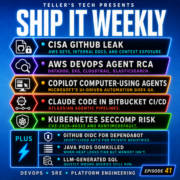
Episode 4 is my “big platforms week” episode.
We start with AWS re:Invent, but not in the usual hypey way. I’m looking at it like a platform team would: what changes the paved roads, what changes the reliability story, and what’s going to show up as a ticket in your queue three months from now.
That includes stuff like regional NAT Gateway availability and Route 53 resolver updates on the networking side, plus new opinionated paths like ECS Express Mode and the “EKS capabilities” direction AWS keeps leaning into. There’s also a clear AI and data signal with things like S3 Vectors and the bigger S3 object support. Even if you don’t care about the buzzwords, you should care about what this does to patterns teams will try to roll into your clusters and accounts.
Then we step out of AWS for a minute and talk about Google’s 130,000-node GKE cluster. It’s obviously an extreme case, but those write-ups are still useful because they show what breaks first: control plane pressure, scheduling behavior, networking limits, and how much operational discipline you need when “it scales” stops being a marketing phrase and becomes a daily reality.
And then we hit the spicy one: “kill staging.”
The argument isn’t “YOLO production.” It’s that staging is often a false sense of safety. The more your staging environment diverges from prod, the more it becomes a place where bugs hide, not where bugs get caught. The real conversation is how you test in production responsibly: feature flags, progressive rollouts, canaries, solid observability, and a rollback path that doesn’t rely on heroics.
The thread tying all of this together is pretty simple: the big cloud providers are making it easier to ship faster, but the only way that’s a win is if your platform has guardrails. Otherwise you just move faster into the wall.
Show notes below have all the links if you want to dig into the re:Invent announcements, the GKE story, and the staging debate.