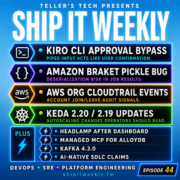
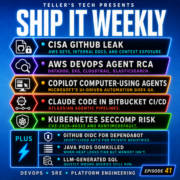
This episode of Ship It Weekly explores automation's hidden boundaries, focusing on Kiro CLI's CVE-2026-9255 approval bypass and Amazon Braket's Python pickle risk.
Now Playing
Kiro CLI Approval Bypass, Amazon Braket Pickle Risk, AWS Org Logging, KEDA Upgrades, and Automation’s Hidden Boundaries
Ship It Weekly
0:0020:27
Chapters
Jump to a section in this episode.
Speed & share
Transcript
Your AI coding tool asks for permission. Then
stdin answers for you. That is not a sentence
I expected to say this week, but here we are.
This week, we've got Kiro CLI with an approval
bypass through piped input. Amazon Braket with
a very normal Python pickle problem inside a
very expensive-sounding quantum SDK. AWS Organizations
finally logging account membership changes to
CloudTrail. And KEDA releases that remind us
autoscaling upgrades are not just version bumps.
Then in the lightning round, we'll hit Kubernetes
dashboard being archived, Google Cloud's managed
MCP server for AlloyDB, Kafka 4.3 .0, and Atlassian's
AI productivity claims around more pull requests
and saved developer time. The theme this week
is pretty simple. Automation keeps getting more
authority, but the boring boundaries still decide
what happens. I'm Brian Teller from Teller's
Tech, and this is Ship It Weekly. Welcome back
to Ship It Weekly. The show where we look at
the DevOps, SRE, cloud, platform, and security
stories that actually matter when you are the
person who eventually has to keep the thing running.
This week is a nice mix of AI tooling risk, cloud
governance, Kubernetes operations, and the ongoing
question of what happens when automation gets
more power than people realize. We're starting
with Kiro CLI and a bug where crafted piped
input could be treated like user approval. Then
we'll talk about Amazon Braket SDK and an insecure
deserialization issue in quantum job results.
After that, we'll get into AWS Organizations
finally emitting CloudTrail events when accounts
join or leave an organization. Then we'll talk
KEDA 2.20 and 2.19. because autoscaling upgrades
can move assumptions around events, permissions,
scalers, and monitoring. In the lightning round,
we'll hit Kubernetes Dashboard being archived
with Headlamp as the path forward, Google Cloud
Remote MCP Server for AlloyDB, Apache Kafka 4
4.3.0, and Atlassian's AI-native SDLC productivity
claims. And the human closer this week is about
hidden boundaries, because the scary part of
automation is not always what it can do. Sometimes
it's what we forgot it was allowed to do. So
let's get into it. First up, Kiro CLI had a
pretty interesting security issue. AWS published
a bulletin for CVE-2026-9255 affecting Kiro
CLI versions before 1.28.0. The short version
is that crafted content piped into Kiro CLI through
stdin could be consumed as confirmation
input, and that could allow tools, including
shell commands to execute without the user actually
approving them. So yes, the AI tool asked for
permission. And stdin answered for you,
which is funny in the way that makes you stop
smiling after about half a second. Because this
is not just a random command-line parsing bug.
This is an approval boundary bug. A lot of AI
coding tools are built around the idea that the
agent can suggest actions, but the user approves
the risky parts. That approval step is the thing
that makes people feel safer. The tool says,
hey. I want to run this command. The human looks
at it and says yes or no. That is the mental
model. But if crafted input can accidentally
or intentionally flow into the confirmation path,
now that boundary is not really where people
thought it was. And that matters because these
tools are not just answering trivia questions.
They can read files. They can inspect repos.
They can call tools. They can run commands. They
can modify code. They can sometimes interact
with cloud CLIs, Kubernetes configs, package
managers, and all the usual developer machine
chaos. So when approval gets weird, the blast
radius gets weird too. The practical lesson here
is bigger than Kiro. If you are building or adopting
AI tools, Approval needs to be treated like security
controls, not UX prompts. Security controls.
That means you should think about where approval
input can come from. Can it come from standard
in? Can it come from a file? Can it come from
pasted content? Can it come from generated content?
Can it come from previous agent output? Can it
come from something the model read and then accidentally
turned into an action? Because when an AI tool
has access to execution, The approval path is
part of your trust boundary. And trust boundaries
are where boring bugs become very interesting.
For operators and platform teams, I would treat
this as another reminder to be careful with agent
tooling in high trust environments. Keep tools
updated. Avoid running agentic CLIs with broad
permissions unless you really need to. Be careful
piping untrusted content into tools that can
execute actions. And do not assume that a confirm
before running prompt automatically means the
human is the only thing that can confirm. The
button is not the boundary. The input path is.
Second story. Amazon Braket SDK had an insecure
deserialization issue. And I have to admit, there
is something funny about quantum computing getting
a very normal Python pickle bug. Like, yes. We
are doing quantum workloads and advanced simulation
and cloud-managed quantum jobs. But also, somewhere
in the middle of that, Python Pickle is still
standing there with a folding chair. AWS published
a bulletin for CVE-2026-9291 affecting Amazon
Braket SDK versions before 1.117.0. The issue
involved job results. The SDK trusted a data
format field in job result JSON. And under the
wrong conditions, it could call pickle.loads()
on attacker-controlled data. That could lead
to remote code execution for a remote authenticated
user with S3 write access to the job output bucket.
This is a very specific vulnerability, but the
pattern is extremely familiar. You have an SDK.
You have job output. You have S3. You have metadata
that says what format the data is in. And somewhere
in that chain, the client trusts the metadata
too much. Then the parser becomes an execution
path. That is the lesson. Deserialization bugs
are not old news just because the service sounds
modern. Pickle is dangerous when used on untrusted
input. That sentence has been true for a very
long time. And apparently, it is still true even
if the words around it include quantum computing.
For DevOps and platform teams, I think the takeaway
is about the trust boundaries around job output
and storage buckets. A lot of systems treat output
buckets as boring storage. The job writes results.
The client reads results. Everybody goes home.
But if the client treats those results as trusted
instructions for how to deserialize data, then
whoever can write to that bucket may be influencing
code execution on the client side. That changes
the security posture. So yes, patch the SDK.
But also, think about the surrounding pattern.
Who can write to job output buckets? Are those
buckets shared? Are they cross-account? Can
temporary jobs write results that other systems
later consume? Are clients running in developer
environments, CI, notebooks, or production workflows?
And are any of those clients deserializing data
in a way that assumes storage means trusted?
Because storage is not trust. Storage is just
where the problem waits politely until something
reads it. Before we get to the next story, a
quick word from this week's sponsor, @Scale: Systems & Reliability.
@Scale: Systems & Reliability is happening June 25th at the Meydenbauer Center in Bellevue, Washington. The event
is focused on the infrastructure behind AI-scale
systems, reliability, high-performance compute,
storage, networking, and the operational side
of AI-driven systems. So if you are thinking
about how reliability changes when AI workloads,
agents, and automation enter the picture, this
is worth a look. Register today at atscaleconference.com/events/systems-reliability-2026 or use the link in the show notes.
All right, back to the show. Third story, AWS
organizations now emit CloudTrail events when
accounts join or leave an organization. And this
is one of those updates that sounds small until
you remember what AWS Organizations actually
represents. An AWS Organization is not just
a billing container. It is a security boundary.
It is where SCPs apply. It is where centralized
logging expectations live. It is where guardrails
live. It is where account ownership and governance
gets enforced. So when an account joins or leaves
an organization, that is not just an administrative
event. That is a security and governance event.
AWS says organizations now emit account joined
organization and account departed organization
events to the management account. Those events
include things. like the join or departure method
and timestamp. You can feed them into CloudWatch
alarms, EventBridge roles, or whatever your
alerting and governance process looks like. And
honestly, this feels like one of those things
that should have already existed, which is not
a compliment exactly, more like a very cloud
engineering version of relief. Because account
movement is the kind of thing you want to know
about immediately. If an account leaves your
organization, what happened to the SCPs? What
happened to centralized CloudTrail? What happened
to Config rules? What happened to Security Hub
aggregation? What happened to access policies
that assume the account is still under org control?
And if an account joins your organization, is
that expected? Is it coming from an acquisition?
A sandbox? A delegated admin flow? A weird test
account someone created with a personal email
in 2021 and is now trying to bring home like
a stray cat. The practical takeaway is pretty
simple. Do something with these events. Do not
just mentally file this under nice AWS improvements.
Create EventBridge rules. Alert on account join
and departures. Send them somewhere your cloud
platform or security team actually watches. Attach
context if you can. Was this account expected?
Who owns it? Which OU did it join? What guardrails
apply? Was the departure planned? Do we need
to investigate? Because the worst time to discover
an account left your organization is later, when
you are trying to explain why the normal guardrails
did not apply. Account membership is not just
billing metadata. It is control plane state.
And control plane state deserves alerts. Fourth
story. KEDA has had a couple of releases. worth
operators actually reading. And I know, a KEDA
release note is not exactly the kind of thing
that makes people cancel dinner plans. But autoscaling
changes are production changes. KEDA sits in
a very sensitive part of the system. It watches
external signals. It decides when workloads should
scale. It interacts with Kubernetes events, RBAC,
metrics, scalers, and workload behavior. So when
KEDA changes event recording, scalers, permissions,
or assumptions, that is not just a version bump.
That is part of how your workload responds to
pressure. The on-call brief this week flags
KEDA version 2.20 and version 2.19 changes,
including event recording moving to the
events.k8s.io API group, plus scaler changes and additions
around things like OpenSearch, Elastic Forecast,
and Kubernetes resources. The event recording
change is the one I would pay attention to because
events sound like observability garnish until
something breaks. Then suddenly, everybody wants
to know what scaled, when it scaled, why it scaled,
what failed, and which controller said what.
If events move API groups, that may affect RBAC.
It may affect tools that scrape or watch events.
It may affect alerting. It may affect the way
your team reconstructs scaling behavior during
an incident. And that is the hidden risk with
autoscaling systems. When they work, nobody thinks
about them. When they fail, everybody discovers
they are part of the incident timeline. The practical
takeaway is not avoid KEDA upgrades. KEDA is
useful. The takeaway is to treat autoscaler upgrades
like production behavior changes. Read the release
notes. Check RBAC. Check event collection. Check
dashboards. Check scaler-specific changes for
the triggers you actually use. Test the upgrade
in a non-prod cluster with real-looking metrics
if you can. And make sure your team still knows
how to answer the basic questions. Why did this
workload scale? Why did it not scale? What signal
was it watching? What did KEDA think was happening?
And where would we see that during an incident?
Autoscaling is one of those areas where it just
works is great right up until it very much does
not. Now let's do a quick lightning round. First,
Kubernetes Dashboard has been archived and Headlamp
is the path forward. We have mentioned Headlamp
before, so I'll keep this short. The new angle
is that dashboard being archived means platform
teams should decide what the supported cluster
UI actually is. If developers, support engineers,
or internal teams rely on a UI to inspect workloads,
logs, events, or namespaces, that UI is part
of your platform surface. So do not let the
migration happen by accident. Decide what you
support. Decide who gets access. Decide how auth
works. Decide what actions are allowed. And please,
do not replace one risky dashboard with another
risky dashboard and call it modernization. Second.
Google Cloud Remote MCP Server for AlloyDB is
generally available. I know we have covered MCP
a lot, so I'm not going to make this the whole
show. But the trend matters. MCP is moving from
local developer demos into managed cloud data
access. That means the questions get more serious.
Who can connect? What data can the agent reach?
What identity is used? What audit trail exists?
And can the agent only read? Or can it take action?
Managed MCP is not just convenience. It is another
control plane for agent access. Third, Apache
Kafka 4.3 .0 is out. For most people, a Kafka
release is not something you rush into production
during lunch. At least I hope not. But it is
worth tracking because Kafka sits under a lot
of real-time systems, event-driven platforms,
data pipelines, and very nervous on-call rotations.
The high-level takeaway is simple. Read the
release notes. Watch client compatibility. Check
broker upgrade paths. Check the features that
affect your actual deployment model. And remember
that Kafka upgrade is rarely just a Kafka upgrade.
It usually involves consumers, producers, schemas,
connectors, monitoring, retention, partition
behavior, and some service nobody remembered
still uses the old client. Fourth, Atlassian
published AI-native SDLC productivity claims
around more pull requests and saved developer
time. The numbers sound good. More PRs. More
time saved. More development throughput. And
I am not against that. But more PRs is not automatically
more throughput. If planning, review, testing,
security, release, and operations cannot absorb
the extra output, then you may not have improved
flow. You may have just moved the bottleneck.
AI can absolutely help teams produce more work.
The leadership question is whether the system
can safely absorb it. Because more code is not
the same as more value. And it is definitely
not the same as more reliable production. The
human closer this week is about hidden boundaries.
That is the thread running through all of this.
Kiro CLI had an approval boundary. Amazon Braket
had a deserialization boundary. AWS Organizations
has an account membership boundary. KEDA had
an autoscaling and event visibility boundary.
Kubernetes Dashboard and Headlamp sit on the
platform access boundary. MCP sits on the agent
data access boundary. Kafka sits on the event
pipeline boundary. And AI productivity claims
run straight into the boundary between output
and actual throughput. The scary part of automation
is not always what it can do. Sometimes it is
what we forgot it was allowed to do. That is
the part teams need to keep looking at. What
counts as approval? What counts as trusted data?
What counts as an account boundary? What counts
as a safe scaling signal? What counts as supported
platform access? What counts as developer productivity?
Those are not abstract questions. Those are production
questions. Because automation does not remove
boundaries. It moves them. And if you do not
know where the boundary moved, you may not know
what you are trusting anymore. And that is where
staff and principal engineering work often lives.
Not just picking the tool. Not just approving
the upgrade. Not just reading the headline. But
asking where the authority actually sits now.
Who can approve? Who can write? Who can scale?
Who can access? Who can deserialize? Who can
query? Who can ship? That sounds boring. But
boring is usually where the real risk is hiding.
So the takeaway this week is simple. When automation
gets more powerful, look for the boundary. Then
make it visible. That's it for this week of Ship
It Weekly. We covered the Kiro CLI approval bypass,
Amazon Braket SDK insecure deserialization,
AWS Organizations CloudTrail account membership
events, KEDA autoscaling changes, and a lightning
round on Kubernetes Dashboard and Headlamp, Google
Cloud Remote MCP Server for AlloyDB, Kafka 4
4.3.0, and Atlassian's AI-native SDLC claims.
If this episode was useful, follow or subscribe
wherever you are watching or listening. If you're
on YouTube, hit subscribe. If you are in a podcast
app, follow the show there. And if you know someone
on a DevOps, SRE, platform, security or engineering
leadership team who is dealing with AI tools,
AWS governance, Kubernetes autoscaling, or platform
access, send this one to them. It helps the show
grow and it helps me keep making this kind of
content for people who actually live with these
systems. You can find the weekly brief at OnCallBrief.com and more episodes and this week's show notes
at shipitweekly.fm. I'm Brian Teller from Teller's
This episode is really about one idea: automation does not remove boundaries. It moves them.
That sounds a little abstract, but the stories this week make it pretty concrete.
Kiro CLI had an approval boundary.
Amazon Braket had a deserialization boundary.
AWS Organizations had an account membership visibility boundary.
KEDA had an autoscaling and event visibility boundary.
Kubernetes Dashboard and Headlamp sit on the platform access boundary.
MCP sits on the agent data access boundary.
Kafka sits on the event pipeline boundary.
And Atlassian’s AI-native SDLC claims run straight into the boundary between output and actual throughput.
That is the thing I kept coming back to while recording this episode.
A lot of the risk in modern infrastructure does not come from teams having no boundaries. It comes from teams assuming the boundary is still where it used to be.
With Kiro CLI, the whole issue was about approval. The mental model for a lot of AI coding tools is pretty simple: the tool can suggest things, but the human approves the risky action. That is the part that makes people feel like there is a safety rail.
The problem with CVE-2026-9255 is that crafted content piped through stdin could be consumed as confirmation input. So the tool asks for approval, but the input stream can answer. AWS says the issue affected Kiro CLI versions before 1.28.0 and recommends upgrading, or using --no-interactive when piping untrusted content.
That is a very specific bug, but the lesson is bigger.
If approval is a security boundary, then the approval input path matters.
Where can approval come from?
A terminal?
A file?
Pasted content?
Generated text?
Previous agent output?
Something the model read and turned into an action?
That is not just a UX question anymore. If the tool can run commands, modify files, inspect repos, call cloud CLIs, or interact with Kubernetes configs, then the approval path is part of your trust boundary.
And trust boundaries are exactly where boring bugs become interesting.
The Amazon Braket SDK issue is a different flavor of the same idea. It is very funny, in a slightly painful way, that quantum job processing ran into a classic Python pickle problem. We can talk about quantum workloads and advanced simulation all we want, but if pickle.loads() touches attacker-controlled data, it is still the same old security lesson wearing a much more expensive jacket.
AWS says CVE-2026-9291 affected Amazon Braket SDK versions before 1.117.0. The issue involved job results where the SDK trusted a dataFormat field and could deserialize attacker-controlled data if a remote authenticated user had S3 write access to the job output bucket.
The pattern there is familiar.
A job writes output.
A client reads output.
Metadata says what format the data is in.
The client trusts the metadata.
Then the parser becomes an execution path.
That is the part platform teams should care about. Storage is not trust. An output bucket is not automatically safe because it is “just results.” If another system later consumes those results and deserializes them, whoever can write to the bucket may be influencing code execution somewhere else.
That matters in developer environments.
It matters in notebooks.
It matters in CI.
It matters in production workflows.
And it matters any time teams treat object storage like a harmless waiting room for data, instead of part of a larger execution chain.
The AWS Organizations CloudTrail update is a quieter story, but honestly it may be one of the most practically useful ones this week.
AWS Organizations now emits CloudTrail events when accounts join or leave an organization. The new events are AccountJoinedOrganization and AccountDepartedOrganization, and they go to the management account.
That sounds small until you remember what an AWS Organization represents.
An AWS Organization is not just billing structure. It is where service control policies apply. It is where centralized logging assumptions live. It is where governance, guardrails, and account ownership are supposed to be enforced.
So account membership is control-plane state.
If an account leaves the org, what happens to SCPs? What happens to centralized CloudTrail? What happens to Config, Security Hub aggregation, or access policies that assume the account is still under organizational control?
If an account joins the org, is that expected? Is it a sandbox? An acquisition? A delegated admin flow? A test account someone created years ago and is now bringing back like a stray cat?
This is one of those updates where the action item is obvious: do something with the event.
Do not just say, “cool, AWS logs that now.”
Create EventBridge rules.
Alert on joins and departures.
Send them somewhere security or cloud platform teams actually watch.
Add ownership context if you can.
Account movement is not just metadata. It is a governance boundary changing state.
KEDA is the operator story in this episode. And it is a good reminder that autoscaling upgrades are not just version bumps.
KEDA sits in a sensitive part of the system. It watches external signals, interacts with metrics and Kubernetes events, and decides when workloads should scale. That means changes around events, scalers, permissions, and monitoring can affect how teams understand production behavior.
The W23 brief called out KEDA 2.20 and 2.19 changes, including event recording moving to the events.k8s.io API group, plus scaler updates and additions around OpenSearch, Elastic Forecast, Kubernetes resources, and more.
The event move is the part that matters operationally.
Events sound like observability garnish until something breaks.
Then everyone wants to know what scaled, why it scaled, when it scaled, what failed, and which controller said what.
If an upgrade changes where events live, how they are recorded, or what RBAC is needed to see them, that can affect dashboards, alerting, incident review, and your ability to reconstruct what happened.
That is the hidden risk with autoscaling systems. When they work, nobody talks about them. When they fail, they become a very important part of the incident timeline.
So the takeaway is not “avoid KEDA upgrades.” KEDA is useful. The takeaway is to treat autoscaler upgrades like production behavior changes.
Read the release notes.
Check RBAC.
Check event collection.
Check dashboards.
Check the scalers you actually use.
Test the upgrade with real-looking signals.
And make sure your team still knows how to answer the basic questions during an incident: why did this workload scale, why did it not scale, what was KEDA watching, and where would we see that?
The lightning stories all fit the same theme.
Kubernetes Dashboard being archived is not just a “new UI” story. If developers or support teams use a cluster UI to inspect workloads, logs, events, namespaces, or resources, then that UI is part of the platform surface. Moving to Headlamp is not just a replacement. It is a chance to re-check access, auth, actions, and ownership.
Google Cloud’s Remote MCP Server for AlloyDB is another reminder that MCP is moving beyond local demos. Once managed MCP servers touch cloud databases, the questions become more serious: who can connect, what identity is used, what data can the agent reach, what audit trail exists, and can it only read or can it act?
Kafka 4.3.0 is a good quick reminder that Kafka upgrades are rarely just Kafka upgrades. The broker matters, but so do consumers, producers, schemas, connectors, retention, monitoring, and the one service nobody remembered still uses the old client library.
And Atlassian’s AI-native SDLC productivity claims are the human/leadership version of the boundary problem. More PRs and saved developer time sound good. They may be good. But more PRs is not automatically more throughput. If planning, review, testing, security, release, and operations cannot absorb the extra output, then AI may not improve flow. It may just move the bottleneck.
That is why I like the theme of hidden boundaries for this episode.
The scary part of automation is not always what it can do.
Sometimes it is what we forgot it was allowed to do.
What counts as approval?
What counts as trusted data?
What counts as an account boundary?
What counts as a safe scaling signal?
What counts as supported platform access?
What counts as developer productivity?
Those are production questions.
Automation does not remove boundaries. It moves them. And if you do not know where the boundary moved, you may not know what you are trusting anymore.
That is where staff and principal engineering work often lives.
Not just picking the tool.
Not just approving the upgrade.
Not just reading the headline.
But asking where the authority actually sits now.
Who can approve?
Who can write?
Who can scale?
Who can access?
Who can deserialize?
Who can query?
Who can ship?
That sounds boring, but boring is usually where the real risk is hiding.
So the takeaway this week is simple: when automation gets more powerful, look for the boundary.
This episode of Ship It Weekly is about automation’s hidden boundaries. Brian covers Kiro CLI CVE-2026-9255, where piped stdin could act like user approval, Amazon Braket SDK CVE-2026-9291 and the very normal Python pickle risk hiding inside quantum job results, AWS Organizations finally emitting CloudTrail events when accounts join or leave an org, and KEDA updates that remind us autoscaling upgrades are production behavior changes.
The bigger thread this week is that automation does not remove boundaries. It moves them. Approval paths, trusted data, account membership, scaling signals, platform access, and AI-generated output all need clear ownership and visibility.
Brian also covers Kubernetes Dashboard being archived with Headlamp as the path forward, Google Cloud Remote MCP Server for AlloyDB, Apache Kafka 4.3.0, and Atlassian’s AI-native SDLC productivity claims.
Sponsored by @Scale: Systems & Reliability, happening June 25 at the Meydenbauer Center in Bellevue, Washington. Register at https://bit.ly/4xd2FdG

This episode is really about one idea: automation does not remove boundaries. It moves them.
That sounds a little abstract, but the stories this week make it pretty concrete.
Kiro CLI had an approval boundary.
Amazon Braket had a deserialization boundary.
AWS Organizations had an account membership visibility boundary.
KEDA had an autoscaling and event visibility boundary.
Kubernetes Dashboard and Headlamp sit on the platform access boundary.
MCP sits on the agent data access boundary.
Kafka sits on the event pipeline boundary.
And Atlassian’s AI-native SDLC claims run straight into the boundary between output and actual throughput.
That is the thing I kept coming back to while recording this episode.
A lot of the risk in modern infrastructure does not come from teams having no boundaries. It comes from teams assuming the boundary is still where it used to be.
With Kiro CLI, the whole issue was about approval. The mental model for a lot of AI coding tools is pretty simple: the tool can suggest things, but the human approves the risky action. That is the part that makes people feel like there is a safety rail.
The problem with CVE-2026-9255 is that crafted content piped through stdin could be consumed as confirmation input. So the tool asks for approval, but the input stream can answer. AWS says the issue affected Kiro CLI versions before 1.28.0 and recommends upgrading, or using
--no-interactivewhen piping untrusted content.That is a very specific bug, but the lesson is bigger.
If approval is a security boundary, then the approval input path matters.
Where can approval come from?
A terminal?
A file?
Pasted content?
Generated text?
Previous agent output?
Something the model read and turned into an action?
That is not just a UX question anymore. If the tool can run commands, modify files, inspect repos, call cloud CLIs, or interact with Kubernetes configs, then the approval path is part of your trust boundary.
And trust boundaries are exactly where boring bugs become interesting.
The Amazon Braket SDK issue is a different flavor of the same idea. It is very funny, in a slightly painful way, that quantum job processing ran into a classic Python pickle problem. We can talk about quantum workloads and advanced simulation all we want, but if
pickle.loads()touches attacker-controlled data, it is still the same old security lesson wearing a much more expensive jacket.AWS says CVE-2026-9291 affected Amazon Braket SDK versions before 1.117.0. The issue involved job results where the SDK trusted a
dataFormatfield and could deserialize attacker-controlled data if a remote authenticated user had S3 write access to the job output bucket.The pattern there is familiar.
A job writes output.
A client reads output.
Metadata says what format the data is in.
The client trusts the metadata.
Then the parser becomes an execution path.
That is the part platform teams should care about. Storage is not trust. An output bucket is not automatically safe because it is “just results.” If another system later consumes those results and deserializes them, whoever can write to the bucket may be influencing code execution somewhere else.
That matters in developer environments.
It matters in notebooks.
It matters in CI.
It matters in production workflows.
And it matters any time teams treat object storage like a harmless waiting room for data, instead of part of a larger execution chain.
The AWS Organizations CloudTrail update is a quieter story, but honestly it may be one of the most practically useful ones this week.
AWS Organizations now emits CloudTrail events when accounts join or leave an organization. The new events are
AccountJoinedOrganizationandAccountDepartedOrganization, and they go to the management account.That sounds small until you remember what an AWS Organization represents.
An AWS Organization is not just billing structure. It is where service control policies apply. It is where centralized logging assumptions live. It is where governance, guardrails, and account ownership are supposed to be enforced.
So account membership is control-plane state.
If an account leaves the org, what happens to SCPs? What happens to centralized CloudTrail? What happens to Config, Security Hub aggregation, or access policies that assume the account is still under organizational control?
If an account joins the org, is that expected? Is it a sandbox? An acquisition? A delegated admin flow? A test account someone created years ago and is now bringing back like a stray cat?
This is one of those updates where the action item is obvious: do something with the event.
Do not just say, “cool, AWS logs that now.”
Create EventBridge rules.
Alert on joins and departures.
Send them somewhere security or cloud platform teams actually watch.
Add ownership context if you can.
Account movement is not just metadata. It is a governance boundary changing state.
KEDA is the operator story in this episode. And it is a good reminder that autoscaling upgrades are not just version bumps.
KEDA sits in a sensitive part of the system. It watches external signals, interacts with metrics and Kubernetes events, and decides when workloads should scale. That means changes around events, scalers, permissions, and monitoring can affect how teams understand production behavior.
The W23 brief called out KEDA 2.20 and 2.19 changes, including event recording moving to the
events.k8s.ioAPI group, plus scaler updates and additions around OpenSearch, Elastic Forecast, Kubernetes resources, and more.The event move is the part that matters operationally.
Events sound like observability garnish until something breaks.
Then everyone wants to know what scaled, why it scaled, when it scaled, what failed, and which controller said what.
If an upgrade changes where events live, how they are recorded, or what RBAC is needed to see them, that can affect dashboards, alerting, incident review, and your ability to reconstruct what happened.
That is the hidden risk with autoscaling systems. When they work, nobody talks about them. When they fail, they become a very important part of the incident timeline.
So the takeaway is not “avoid KEDA upgrades.” KEDA is useful. The takeaway is to treat autoscaler upgrades like production behavior changes.
Read the release notes.
Check RBAC.
Check event collection.
Check dashboards.
Check the scalers you actually use.
Test the upgrade with real-looking signals.
And make sure your team still knows how to answer the basic questions during an incident: why did this workload scale, why did it not scale, what was KEDA watching, and where would we see that?
The lightning stories all fit the same theme.
Kubernetes Dashboard being archived is not just a “new UI” story. If developers or support teams use a cluster UI to inspect workloads, logs, events, namespaces, or resources, then that UI is part of the platform surface. Moving to Headlamp is not just a replacement. It is a chance to re-check access, auth, actions, and ownership.
Google Cloud’s Remote MCP Server for AlloyDB is another reminder that MCP is moving beyond local demos. Once managed MCP servers touch cloud databases, the questions become more serious: who can connect, what identity is used, what data can the agent reach, what audit trail exists, and can it only read or can it act?
Kafka 4.3.0 is a good quick reminder that Kafka upgrades are rarely just Kafka upgrades. The broker matters, but so do consumers, producers, schemas, connectors, retention, monitoring, and the one service nobody remembered still uses the old client library.
And Atlassian’s AI-native SDLC productivity claims are the human/leadership version of the boundary problem. More PRs and saved developer time sound good. They may be good. But more PRs is not automatically more throughput. If planning, review, testing, security, release, and operations cannot absorb the extra output, then AI may not improve flow. It may just move the bottleneck.
That is why I like the theme of hidden boundaries for this episode.
The scary part of automation is not always what it can do.
Sometimes it is what we forgot it was allowed to do.
What counts as approval?
What counts as trusted data?
What counts as an account boundary?
What counts as a safe scaling signal?
What counts as supported platform access?
What counts as developer productivity?
Those are production questions.
Automation does not remove boundaries. It moves them. And if you do not know where the boundary moved, you may not know what you are trusting anymore.
That is where staff and principal engineering work often lives.
Not just picking the tool.
Not just approving the upgrade.
Not just reading the headline.
But asking where the authority actually sits now.
Who can approve?
Who can write?
Who can scale?
Who can access?
Who can deserialize?
Who can query?
Who can ship?
That sounds boring, but boring is usually where the real risk is hiding.
So the takeaway this week is simple: when automation gets more powerful, look for the boundary.
Then make it visible.
Extra links worth including on the episode page:
Kiro CLI CVE-2026-9255
https://aws.amazon.com/security/security-bulletins/2026-035-aws/
Amazon Braket SDK CVE-2026-9291
https://aws.amazon.com/security/security-bulletins/rss/2026-036-aws/
AWS Organizations CloudTrail account membership events
https://aws.amazon.com/about-aws/whats-new/2026/05/aws-organizations-cloudtrail/
KEDA releases
https://github.com/kedacore/keda/releases
KEDA docs
https://keda.sh/docs/2.19/
Kubernetes Dashboard archived / Headlamp path forward
https://kubernetes.io/blog/2026/06/04/dashboard-archived-what-now/
Google Cloud Remote MCP Server for AlloyDB
https://cloud.google.com/blog/products/databases/alloydb-remote-mcp-server-now-ga
Apache Kafka 4.3.0
https://www.confluent.io/blog/apache-kafka-4-3-release-announcement/
Atlassian AI-native SDLC
https://www.atlassian.com/blog/software-teams/ai-native-sdlc
@Scale Systems & Reliability
https://bit.ly/4xd2FdG